|
|
|
0 members (),
2,362
guests, and
25
robots. |
|
Key:
Admin,
Global Mod,
Mod
|
|
S |
M |
T |
W |
T |
F |
S |
|
|
|
|
|
|
1
|
2
|
|
3
|
4
|
5
|
6
|
7
|
8
|
9
|
|
10
|
11
|
12
|
13
|
14
|
15
|
16
|
|
17
|
18
|
19
|
20
|
21
|
22
|
23
|
|
24
|
25
|
26
|
27
|
28
|
29
|
30
|
|
31
|
|
|
|
|
|
|
|
There are no members with birthdays on this day. |
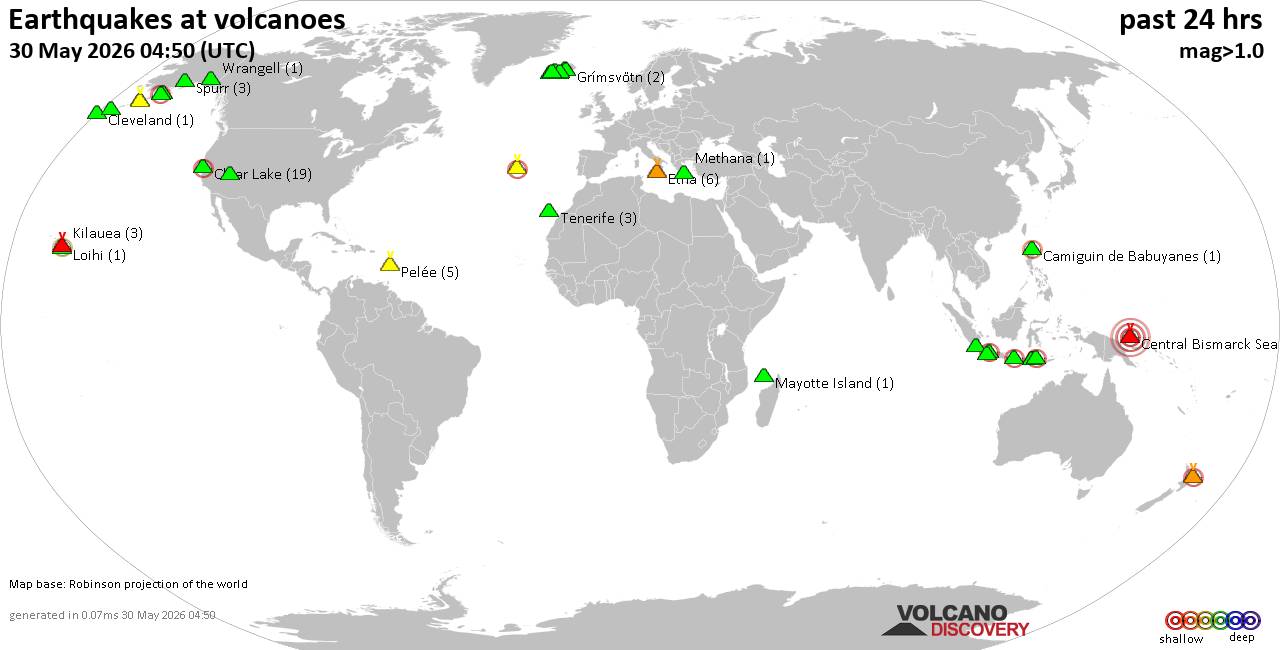
Volcano earthquake report for Saturday, 30 May 2026
• Light mag. 3.9 earthquake - 45 km northeast of Sitia, Lasithi, Crete, Greec...
• Moderate mag. 4.1 earthquake - Sea of Okhotsk, 53 km north of Shikotan Isla...
• Light mag. 3.9 earthquake - 304 km southwest of Yulara, Northern Territory,...
• Strong mag. 5.0 earthquake - South Atlantic Ocean, 18 km southeast of Brist...
• Moderate mag. 4.7 earthquake - Caribbean Sea, 73 km north of Gueiria, Sucre...
|

#620249
Tue 14 Sep 2021 10:45:AM
|
Joined: Feb 2001
Posts: 381,904
Launch Director
|
OP

Launch Director
Joined: Feb 2001
Posts: 381,904 |
We’ve all, at some point in our computing lives, dealt with browser tab overload.
But instead of giving into that helpless feeling—and loading yet another version of a tab you’ve probably got open already—consider the alternatives. These days, there are lots of ways to quickly sift through your open or recently-closed browser tabs, sparing you the agony of having to click through each one to find what you’re looking for.
Here are four tricks you can use in Chrome, Edge, and other Chromium-based browsers to instantly get back to what you’re looking for: Use Chrome’s built-in tab search
Over the summer, Google added a nifty tab search tool to its browser, one that you can operate exclusively with keyboard shortcuts. Just press Ctrl+Shift-A, and you’ll see a list of open tabs in the browser’s top-right corner, along with a search box and any tabs you’ve closed recently. (You’ll also see some recently-closed tabs, provided you don’t have too many open ones.) Type in the title of the page you’re looking for, then hit Enter, and you’ll immediately jump over to the appropriate tab. To read this article in full, please click here Source: 4 killer tab search tricks for Chrome and Microsoft Edge
|
|



CMS The Best Conveyancing solicitors conveyancing quotes throughout the UK
For any webhosting enquiries please email webmaster@aus-city.com
|
|
Forums60
Topics777,565
Posts812,368
Members2,960
| |
Most Online22,463
May 9th, 2026
|
|
|
|
|
Copyright 1996 - 2026 by David Cottle. Designed by David Bate Jr. All Rights Reserved.
By using this forum, the user agrees not to transfer any data or technical information received under this agreement to any other entity without the express approval of the AUS-CITY Forum Admins and/or authors of individual posts (Forum Admins and DoD/USSPACECOM for the analysis of satellite tracking data).
Two-line elements (TLE) and all other satellite data presented and distributed via this forum and AUS-CITY mailing lists are distributed with permission from DoD/USSTRATCOM.

|

|