|
|
|
0 members (),
2,324
guests, and
25
robots. |
|
Key:
Admin,
Global Mod,
Mod
|
|
S |
M |
T |
W |
T |
F |
S |
|
1
|
2
|
3
|
4
|
5
|
6
|
7
|
|
8
|
9
|
10
|
11
|
12
|
13
|
14
|
|
15
|
16
|
17
|
18
|
19
|
20
|
21
|
|
22
|
23
|
24
|
25
|
26
|
27
|
28
|
|
29
|
30
|
|
|
|
|
|
|
There are no members with birthdays on this day. |
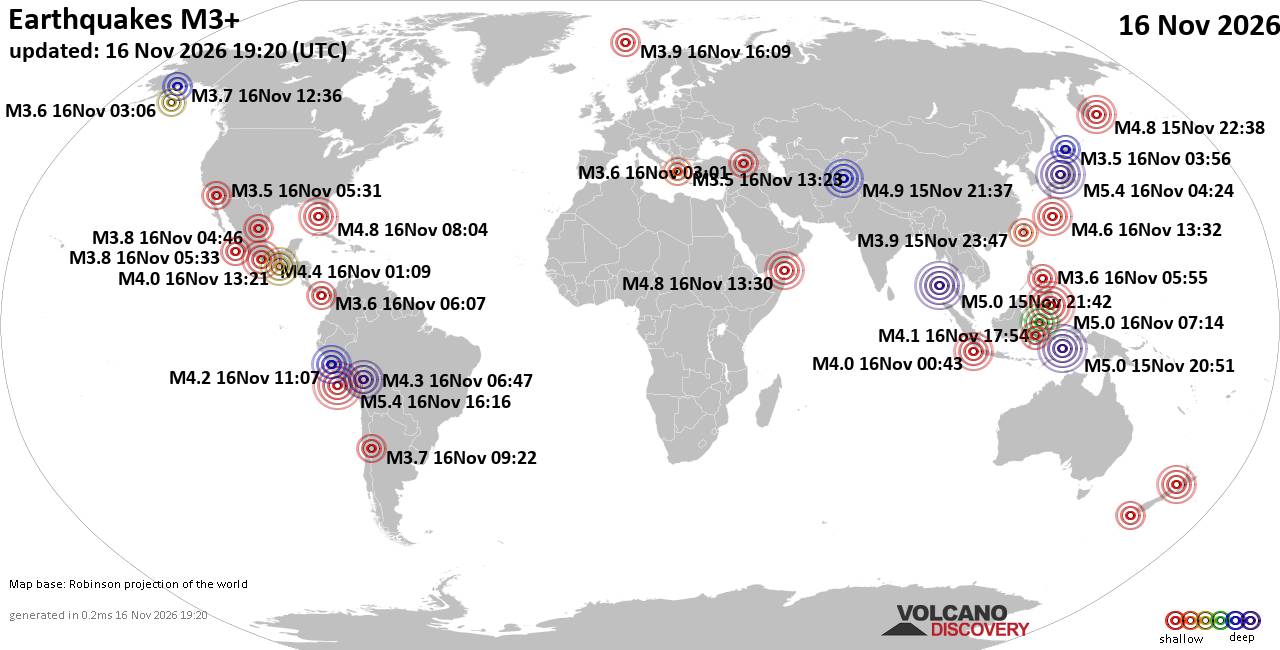
World Earthquake Report for Monday, 16 November 2026
• Moderate mag. 4.5 earthquake - 160 km northwest of Kavieng, New Ireland Pro...
• M 4.4 - off the coast of Oregon
• M 2.3 - 14 km ESE of Clam Gulch, Alaska
• M 3.9 - Rat Islands, Aleutian Islands, Alaska
• M 1.8 - 8 km NW of Round Valley, CA
• M 0.7 - 9 km S of Idyllwild, CA
|

#464634
Fri 17 Aug 2018 11:52:AM
|
Joined: Feb 2001
Posts: 800,656
Launch Director
|
|
Launch Director
Joined: Feb 2001
Posts: 800,656 |
My desire to power up a laptop with an external graphics card began in 2015, when I set out on a quest to get back into PC gaming—a beloved pastime I’d neglected since childhood. But the only PC I had at the time was a 2011 Lenovo ThinkPad X220 laptop with Intel HD 3000 integrated graphics. That just won’t cut it for proper PC gaming. Sure, the laptop would work well enough for older titles like Diablo III, especially on the laptop’s tiny 1366x728-resolution display, but forget about more graphics-intensive modern games on an external 1080p monitor. That’s why I decided to examine external graphics card (eGPU) setups. To read this article in full, please click here Source: How to transform your laptop into a gaming powerhouse with an external graphics card
David Cottle
UBB Owner & Administrator
|
|



CMS The Best Conveyancing solicitors conveyancing quotes throughout the UK
For any webhosting enquiries please email webmaster@aus-city.com
|
|
Entire Thread
|
 How to transform your laptop into a gaming powerhouse with an external graphics card |
Webmaster
|
Fri 17 Aug 2018 11:52:AM
|
|
Forums60
Topics930,716
Posts965,513
Members2,960
| |
Most Online102,106
Jul 10th, 2026
|
|
|
|
|

|