|
0 members (),
2,659
guests, and
28
robots. |
|
Key:
Admin,
Global Mod,
Mod
|
|
S |
M |
T |
W |
T |
F |
S |
|
1
|
2
|
3
|
4
|
5
|
6
|
7
|
|
8
|
9
|
10
|
11
|
12
|
13
|
14
|
|
15
|
16
|
17
|
18
|
19
|
20
|
21
|
|
22
|
23
|
24
|
25
|
26
|
27
|
28
|
|
29
|
30
|
|
|
|
|
|
|
There are no members with birthdays on this day. |
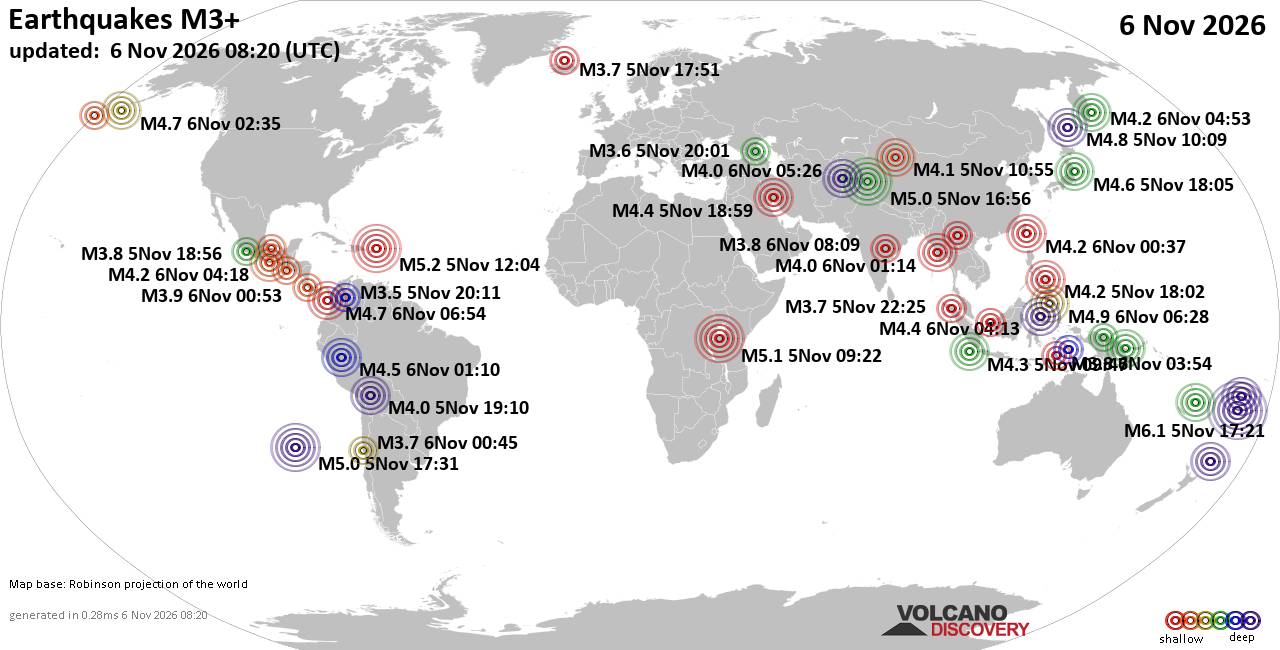
World Earthquake Report for Friday, 6 November 2026
• M 1.0 - 4 km SW of Redlands, CA
• M 1.7 - 19 km ESE of Naalehu, Hawaii
• Moderate mag. 4.5 earthquake - Tafea Province, 151 km southeast of Port Vil...
• M 0.8 - 86 km NW of Karluk, Alaska
• M 0.2 - 8 km WNW of Cobb, CA
|

#50559
Sun 24 Oct 2010 01:57:AM
|
Joined: Oct 2010
Posts: 41
Astronaut Level 1
|
|
Astronaut Level 1
Joined: Oct 2010
Posts: 41 |
Hello, I was wondering if there is a way to co-ordinate the clocks. The time on the forum’s displayed clocks is correct for my location but the times written on the posts are way out. Is there a setting I need to change somewhere? Under "my stuff" under “preferences” I have the current time (for my localion) selected but the post times remain different.
thanks in advance,
Kaye
|
|



CMS The Best Conveyancing solicitors conveyancing quotes throughout the UK
For any webhosting enquiries please email webmaster@aus-city.com
|
|
|
Joined: Feb 2001
Posts: 800,656
Launch Director
|
|
Launch Director
Joined: Feb 2001
Posts: 800,656 |
Yes, look in your profile.
My Stuff tab and edit display preferences.
If your in Sydney set to 10
It's the offset from GMT / UTC
The server automatically compensates for daylight savings so it will always be 10 for Sydney regardless of DST. That took me ages to get that working, as strickly speaking Sydney is plus 11 hours now it's in DST. But without my fix means you have to alter your preferences just like setting your clock.
That seems stupid to me in the 21st century so I coded a fix.
Let me know that fixes your issue.
The reason the java clock displays correct it's taken from your system time, nothing to do with your display preferences.
David Cottle
UBB Owner & Administrator
|
|
|
|
Joined: Oct 2010
Posts: 41
Astronaut Level 1
|
|
Astronaut Level 1
Joined: Oct 2010
Posts: 41 |
Yes, look in your profile.
My Stuff tab and edit display preferences.
If your in Sydney set to 10
It's the offset from GMT / UTC
...............
That seems stupid to me in the 21st century so I coded a fix.
Let me know that fixes your issue. Thank you Webmaster, that fixed it; all sorted now. 
|
|
|
|
Joined: Jul 2011
Posts: 1
Space Trainee
|
|
Space Trainee
Joined: Jul 2011
Posts: 1 |
how to set my time
=================
[url=http://www.webicon.co.in]web design[/url]
Last edited by elenalee; Wed 27 Jul 2011 05:12:AM.
|
|
|
|
Joined: Dec 2002
Posts: 106,005
Launch Director
|
|
Launch Director
Joined: Dec 2002
Posts: 106,005 |
Thanks for failing to spam a link to a web design site, user. This is becoming a frequent activity here. I suspect people are being paid to join forums and make posts that include links -spam. I thought I'd leave this as an example. 
|
|
|
|
Joined: Feb 2001
Posts: 800,656
Launch Director
|
|
Launch Director
Joined: Feb 2001
Posts: 800,656 |
Everyone please be aware the server since relocated now runs UTC time. So please be sure to adjust your time offset to suit.
David Cottle
UBB Owner & Administrator
|
|
|
Forums60
Topics914,027
Posts948,824
Members2,960
| |
Most Online102,106
Jul 10th, 2026
|
|
|