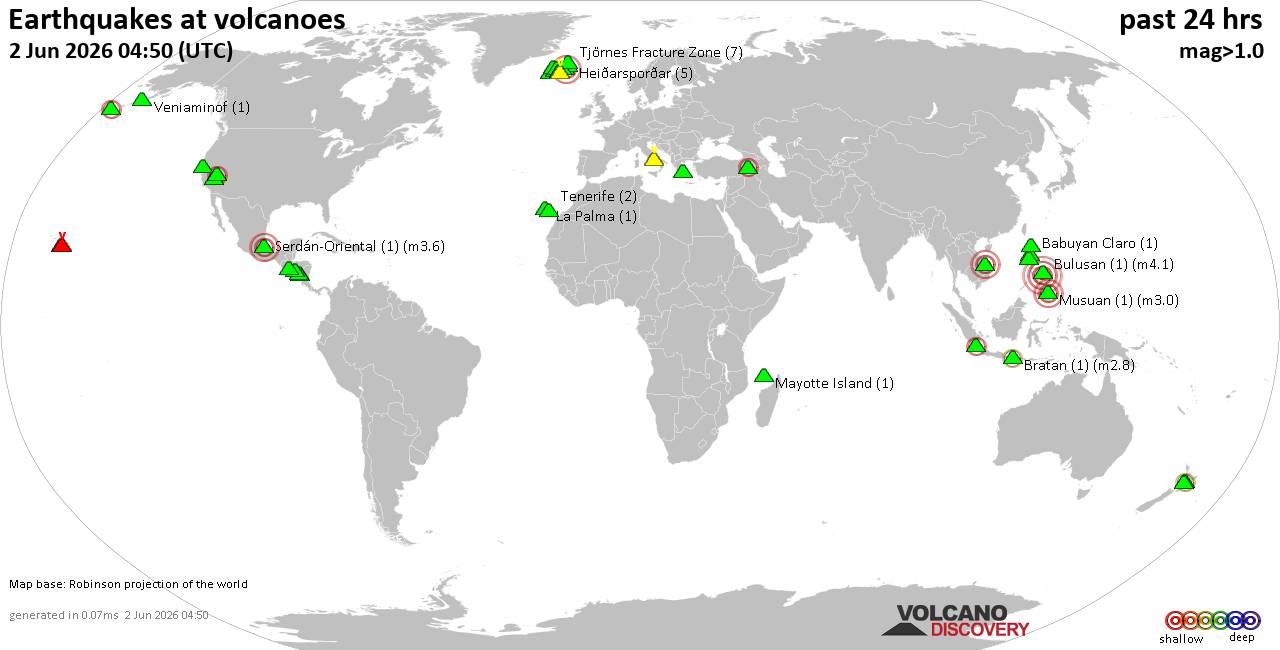
• Moderate mag. 4.0 earthquake - Kabupaten Nabire, South Papua, Indonesia, on...
• Moderate mag. 4.9 earthquake - South Pacific Ocean, 166 km southeast of Nam...
• Moderate earthquake of magnitude 4.5 just reported 76 km northwest of Catud...
• Moderate mag. 4.8 earthquake - South China Sea, 88 km west of Santiago Isla...
• World Earthquake Report for Monday, 1 June 2026
AUS-CITY Advertisements
Like Post
If a specific post was interesting or useful to you, we recommend that you Like that post. It tells the post author, and others, that you found the information valuable. Clicking Like is another way to let others know that you enjoy it without leaving a comment.
Log in to join the conversation and Like this content.
Members Who Like This Post
Total Likes: No one has liked this yet
Re: Posting Your Photos - Easy#43979Mar 1st a 09:54 AM
Ok Alisa, I tried posting Strachie's photo again. Since you told me that it was already the right size, I went ahead & treid to do it...it didn't take. The error message " must fill out all feilds" appears & sends me back. It looks like the picture is being accepted in the box next to 'brouse' button, but once I click 'done adding files' it goes to the error message.
Also, after I click 'brouse',& it takes me to my C drive to pick a photo, I'm then prompted to either open or cancel in my windows fax & photo displayer. Am I supposed to save it, or not click any of those options, & just highlight the photo?
Too, could you pls email me step by step instructions as to resizing my picks? I know it's asking alot,but I've searched my entire windows program & can't find anything on that topic in my help tutorials.The only way I've figured out how to change anything picture wise, is to use the 'edit' prompt at the top of my toolbar, which takes me to my paint program, where I then go into 'image', & then yet another click onto 'attributes'. But once I'm in 'attributes' I'm not exactly sure what to do. Is this even the place I need to be for resizing?
I was really hoping to be able to send those marked photos of the gobblin to Flux. I think my computer hates me! I'm losing hair by the minute ... pretty soon I'll have no need for shampoo!
Copyright 1996 - 2026 by David Cottle. Designed by David Bate Jr. All Rights Reserved.
By using this forum, the user agrees not to transfer any data or technical information received under this agreement to any other entity without the express approval of the AUS-CITY Forum Admins and/or authors of individual posts (Forum Admins and DoD/USSPACECOM for the analysis of satellite tracking data).
Two-line elements (TLE) and all other satellite data presented and distributed via this forum and AUS-CITY mailing lists are distributed with permission from DoD/USSTRATCOM.